Send/Give the Working Genius Assessment to Others
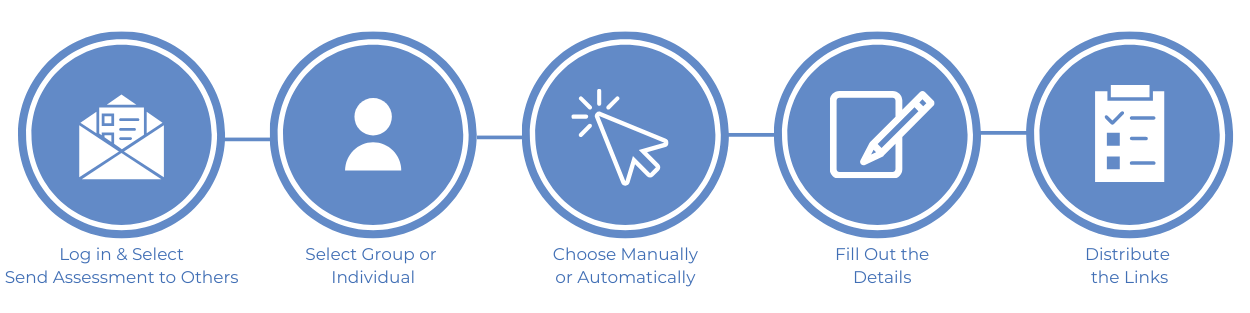
Log in to your Working Genius Console.
Select the Send Now button under Send Assessment to Others
Select Group to give the assessment to multiple people at one time
Select Individual to give the assessment to an individual
Select Send Manually OR Send Automatically
You CANNOT change the configuration choice of an assessment link once it has been created.
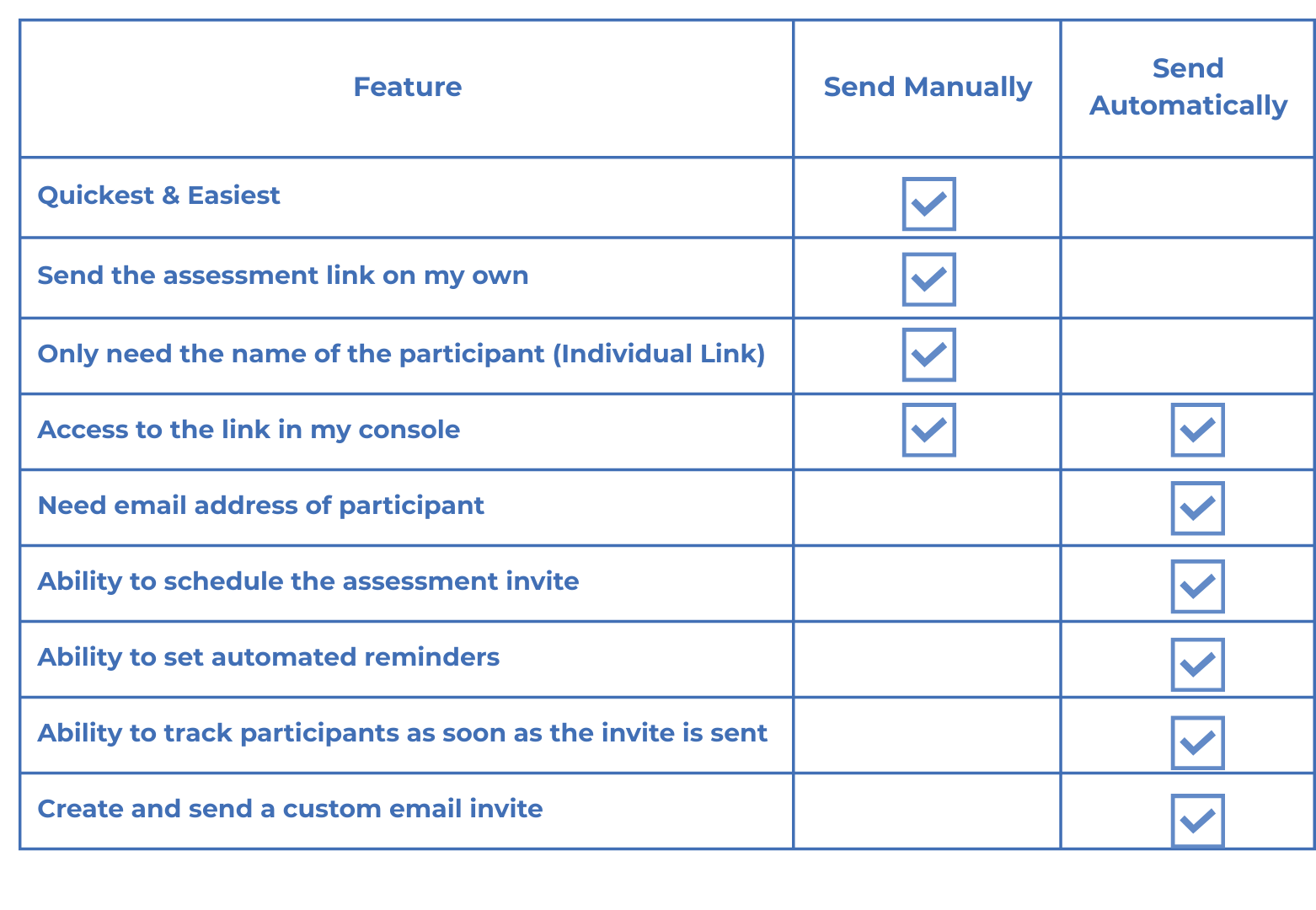
Send Manually - gives you the ability to quickly create an individual or group link when you don't have the email addresses of participants handy. You will have less functionality around tracking and reminders; however, it's a quick way to quickly set up an assessment link that you can share with participants.
Send Automatically - gives you the ability to use our system to send the invite to take the assessment, fully track who has taken the assessment in a group, and send reminders. You will need the participants' email addresses handy for this option. Learn more about the benefits of this option by clicking here.
Fill out the details and any optional fields that you'd like
If you're using at Work or with Teams, you can toggle on additional options such as Company Name, Tags, Withholding Results, and Notifications.
Distribute the links
If you chose Send Manually, you will need to copy the link for the participants.
If you chose Send Automatically, our system will send participants an email invite with their unique link.
Send Manually vs Send Automatically